
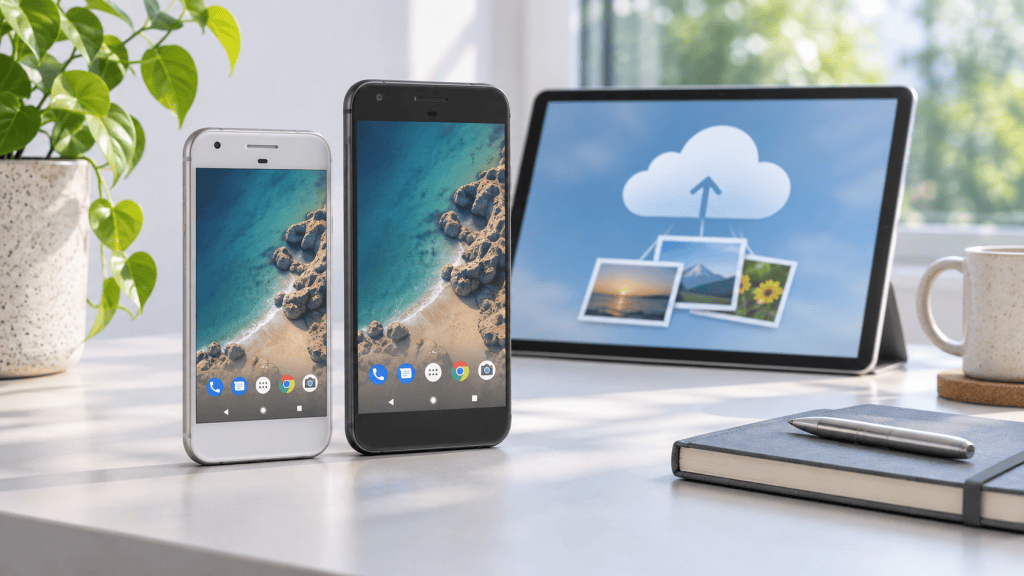
Can an original Google Pixel XL still be useful today? Yes, but not simply because it is an old flagship. For people comparing a one-time device purchase with a recurring cloud-storage plan, the first-generation Pixel and Pixel XL have a specific Google Photos benefit that makes them unusual second-life devices: Google’s current support documentation says photos and videos backed up from the original Pixel can receive unlimited storage in Original quality at no charge. Read the policy and test the workflow before relying on it.
Quick answer: How Pixel Google Photos storage works
- Original Pixel and Pixel XL (2016): Google documents unlimited Original-quality backup at no charge for photos and videos backed up from the qualifying first-generation device.
- Pixel 2 and Pixel 3: Their Original-quality deadlines have passed; do not assume they offer the same benefit today.
- Pixel 3a through Pixel 5: Unlimited backup applies to Storage Saver quality, while Original quality uses Google Account storage.
- The Golden Rule: This is a device-specific backup benefit, not a permanent account-wide upgrade for every phone connected to the account.
Why the original Pixel XL is different
Most older phones become less useful when their software support, battery life and performance fall behind newer devices. The original Pixel XL has an additional use case: it can serve as a dedicated photo-backup device for people who want to keep a separate phone for family photos, travel images or an older digital archive.
That does not make it a modern replacement for a current smartphone. It is better understood as a specialised second-life device with a distinctive cloud-backup feature, a capable camera and a large display.
Why a 10-year-old Pixel XL needs extra caution
The first-generation Pixel and Pixel XL launched in 2016. In 2026, any original battery is roughly a decade old unless it has been replaced. Age-related battery wear can mean short runtime, unexpected shutdowns, charging instability or swelling. The Google Photos feature does not prove that the phone’s battery, charging circuit or motherboard is still dependable.
That is why this device should be treated as a specialised backup tool, not an ordinary daily phone. Avoid buying one based only on a seller’s promise about unlimited storage. Ask how the device was tested, whether the battery and charging port were checked, and what support applies if the phone overheats or stops working.
Why certification matters more with older devices
A structured recommerce platform can reduce uncertainty through documented functional checks, battery and connectivity testing, clear condition notes, a defined service warranty and a return process. Budli states that eligible devices go through a 25-point quality check and that non-iPhone devices generally carry six-month service-warranty coverage; always verify the exact product listing and policy before ordering.
Looking for a verified backup device?
Review the Google Pixel buying guide and current Google Pixel listings. Check the exact condition, price, battery information, accessories, warranty and return terms before ordering.
Which Pixel models have unlimited Google Photos storage?
| Pixel generation | What Google documents | What buyers should remember |
|---|---|---|
| Pixel and Pixel XL | Unlimited Original-quality backup at no charge for photos and videos backed up from the device. | This is the generation with the clearest long-term storage benefit. |
| Pixel 2 | Original-quality backup was free only until a specified date; later uploads use the applicable storage rules. | Do not treat Pixel 2 as equivalent to the original Pixel. |
| Pixel 3 | Original-quality backup was free until a specified date; later uploads are handled differently. | Check the current Google Photos setting before buying. |
| Pixel 3a to Pixel 5 | Storage Saver backup is unlimited at no charge; Original quality counts towards account storage. | Unlimited does not mean unlimited Original quality on these models. |
| Pixel 5a and newer | Do not assume unlimited Google Photos storage. | Review the exact model and current Google policy. |
Google’s own help pages are the best reference because storage policies can change. Read the current Pixel backup-quality guidance before relying on the feature.
How to verify the benefit on a used Pixel XL
- Complete the device setup with your own Google Account. Never use a seller’s account.
- Update Google Photos and the phone’s system software as far as the device allows.
- Open Google Photos and check the backup settings and upload quality.
- Take a new test photo and allow it to back up over Wi-Fi.
- Check the photo details in Google Photos and review your Google Account storage before and after the test.
- Keep the phone connected to Wi-Fi and power while the first large backup completes.
Do not buy it only on the seller’s promise
A listing or sales message should not replace your own verification. Google may change account, inactivity or backup policies, and a used phone may have battery, account-lock or connectivity problems. Treat the storage feature as an added benefit, not a substitute for checking the device.
Can you back up iPhone photos using a Pixel XL?
This is where buyers should be careful. Google’s documentation describes the benefit in terms of photos and videos backed up from the qualifying Pixel device. It should not be marketed as a universal Google Photos upgrade for every phone in the household.
If you plan to move photos from an iPhone or another Android phone to a Pixel XL and then upload them, test the exact workflow with your own account and confirm whether the upload affects your storage. Do not assume that copying files to the phone automatically guarantees unlimited Original-quality backup.
Common ways to transfer iPhone photos for testing
- Computer transfer: Export the photos from the iPhone to a Mac or Windows PC, connect the Pixel XL by USB, copy a small test batch to the phone, and upload it through Google Photos.
- USB-OTG transfer: Use a compatible Lightning-to-USB or USB-C adapter and a suitable drive or cable, then copy a small batch to the Pixel XL before attempting a larger archive.
- Third-party transfer apps: Use a reputable transfer tool only after checking its privacy permissions, then verify that the files are physically on the Pixel XL before backing them up.
For a large archive, test a few original photos and videos first. Confirm the upload quality and storage impact in your own Google Account before committing to the full transfer.
Pixel XL versus paying for extra cloud storage
The comparison is not simply “phone price versus free storage.” Google Accounts include a base storage allowance, while Google One offers paid plans with additional storage and features. The right choice depends on how much storage you need, how long the Pixel XL remains reliable, and whether you also want a usable secondary phone.
Use the current Google One India plans as the subscription reference, then compare that recurring cost with the live Pixel XL listing. Do not use an old ₹4,000–₹6,000 estimate as a universal benchmark: niche-device prices, battery condition, warranty and stock vary widely. A Pixel XL only makes financial sense when the hardware is tested, the storage workflow is useful to you, and the total cost is acceptable compared with the cloud plan you would otherwise choose.
Is a refurbished Pixel XL worth buying?
| Good fit for | Think carefully about |
|---|---|
| A dedicated photo-backup device | Battery health and charging reliability |
| A secondary camera or travel phone | Old software and security support |
| A simple Android device for calls, photos and Wi-Fi | Small 32GB storage and limited modern app compatibility |
| Someone who understands the Google Photos limitation | A primary phone for banking, work or long-term security |
Before buying, review the current Google Pixel XL listing, including its condition, warranty, battery information, accessories and return terms. If you are comparing newer Google phones, use Budli’s Google Pixel buying guide to compare models, software support and current buying considerations. You can also compare it with the wider refurbished mobile collection and read Budli’s device certification and grading information.
What to check before buying any older phone
- Battery health, charging port and cable connection
- Screen brightness, touch response and display damage
- Camera focus, microphone, speaker and vibration motor
- Wi-Fi, Bluetooth, GPS and mobile network connectivity
- Google Account removal, factory reset and device-lock status
- Warranty coverage, return window and the exact condition description
Buying an older phone for a specific purpose?
Choose the device for the job rather than the age alone. If you already own an unused phone, compare its condition and expected resale value before spending money on another device. Budli’s used mobile phone selling page can help you check the next step.
Frequently asked questions
Does the original Google Pixel XL still have unlimited Google Photos storage?
Google’s current help documentation says the first-generation Pixel and Pixel XL have unlimited storage in Original quality for photos and videos backed up from the device at no charge.
Is the Google Photos benefit available on every Pixel phone?
No. Pixel generations have different terms. The original Pixel and Pixel XL have the clearest Original-quality benefit; later models have different limits and deadlines.
Does the benefit apply to photos from my iPhone?
Do not assume that it does. The documented benefit concerns backup from the qualifying Pixel device. Test any transfer workflow with your own account before relying on it.
Can a used Pixel XL still be a good second phone?
It can be useful as a photo-backup device, camera, travel phone or Wi-Fi media device, but its age, battery, software support and limited storage make it less suitable as a primary phone.
What should I check when buying a refurbished Pixel XL?
Check the screen, battery, charging port, camera, network connectivity, Google Account removal, warranty and return policy. Verify the Google Photos setting yourself after setup.
Where can I check the current Pixel XL condition and warranty?
Review the current Budli product listing and its condition, warranty, return and included-accessories information before ordering.
Sources: Google Pixel backup-quality guidance and Google Photos storage and activity guidance.